Discord Overview
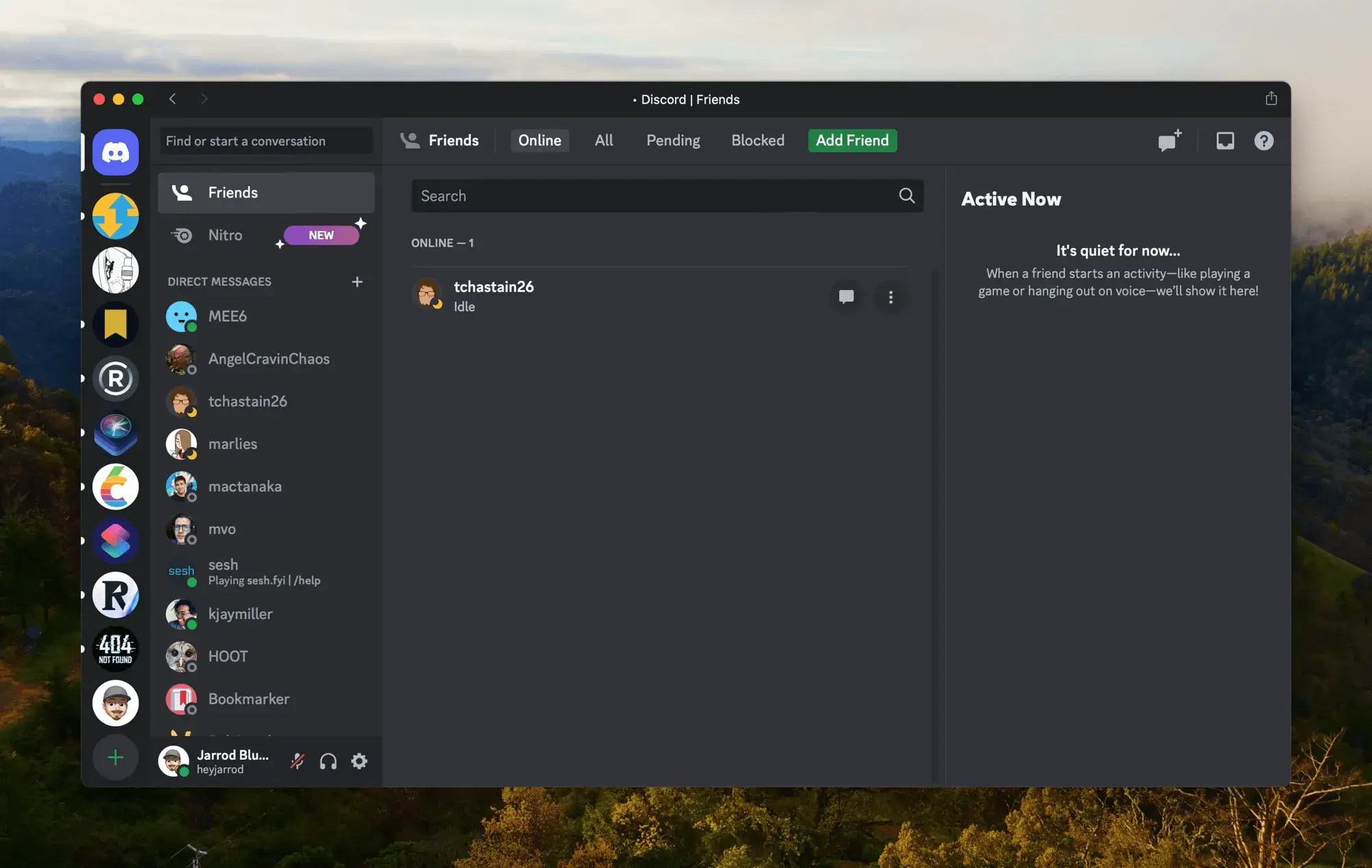
Discord for Mac is a free communication app for talking with friends and communities over voice, video, or text. It started as a way for gamers to stay connected during online multiplayer sessions, and gaming remains its core audience, though its use has spread well beyond that. Everything in Discord is organized around servers, which anyone can create, with multiple channels inside for different topics or voice chats. Servers can be public, joinable through a link or search, or private, requiring an invitation. Discord runs as a native Mac app, though the full experience is also available through any web browser without installing anything.
Why Choose Discord for Mac
Most chat apps split voice, video, and text into separate tools, or bury voice channels behind extra steps. Discord keeps everything in one place: you can hop between a text channel, a voice call, and a video chat within the same server without switching apps.
There's a real Mac-specific issue worth knowing about before you install: some users get stuck with Discord downloading an update the very first time they launch it, with the progress spinner running indefinitely. This is a known, documented problem, not a sign your Mac is broken. If it happens, quitting the app fully and relaunching it, or reinstalling from a fresh download, resolves it for most people.
Key Features
- Voice, video, and text chat combined in one app
- Server-based communities with multiple channels each
- Public servers joinable via link or search, or private invite-only servers
- Direct messages for one-on-one text, voice, or video calls
- Screen sharing and game streaming to friends
- Status display showing what game you're currently playing
- Role-based permission system for managing server members
- Console integration for voice chat on PlayStation and Xbox
- App Directory for adding bots and integrations to a server
- Available on desktop, mobile, and web, all synced to one account
What's New in 0.0.406 Version
Recent Discord updates focus on stability and permission handling on Mac. Recent changes include:
- Continued fixes for update-related launch issues on macOS
- Refinements to the macOS permissions flow during first setup
- General bug fixes and performance improvements
- Ongoing compatibility updates for current macOS releases
- Since Discord updates frequently, checking the in-app changelog after installing shows the most current, specific changes for your version.
Supported macOS Versions
Discord requires macOS 12 or later and runs natively on both Intel and Apple Silicon Macs. On first launch, macOS will prompt you to grant permissions for things like your microphone and camera; approving these in System Settings is necessary for voice and video features to work correctly.
How to Install Discord on macOS?
Setting up Discord on your Mac takes just a few steps.
- Download the latest version of Discord for Mac.
- Open the downloaded disk image (.dmg) file.
- Drag the Discord icon into your Applications folder.
- Launch Discord from your Applications folder and click Open to confirm.
- Wait for any first-launch updates to finish, then grant permissions in System Settings when prompted.
- Once set up, you can sign in or create an account to start chatting right away.
How to Use Discord Mac?
- Open Discord and sign in, or register a new account if you don't have one.
- Click the "+" icon to join a server with an invite link, or create your own.
- Browse text channels for discussions, or join a voice channel to talk live.
- Use the icon in the top-left corner to access direct messages with friends.
- Adjust notification and privacy settings under User Settings as needed.
Final Verdict
Discord brings voice, video, and text chat together in one app, built originally for gamers but now used by all kinds of communities. Its native Mac app covers the full feature set, and the occasional first-launch update issue has a straightforward fix if you run into it. For anyone coordinating with friends, running a community, or just wanting a reliable way to chat while gaming, Discord remains one of the most widely used options available.
Download Discord for Mac Latest Version
Ready to talk, play, and hang out with friends and communities?
Download Discord for Mac to chat by voice, video, or text, join public or private servers, and stay connected while gaming. Whether you're coordinating a match with friends, running a community server, or just want a reliable way to stay in touch, Discord gives you one app for all of it, free to start.